

I’ve been building enterprise software for over two decades. I’ve seen paradigm shifts come and go — SOA, microservices, serverless, the whole cycle. But what’s happening right now with AI integration is different. It’s not replacing what we build. It’s making everything we’ve already built dramatically more intelligent.
The moment it clicked for me was when we were working on a workflow automation platform for a client. They had a flow builder — drag and drop nodes, connect them, define conditions. Standard stuff. Then we added an MCP layer. Suddenly, their AI assistant could look at the flow builder’s data, understand the patterns from hundreds of previously built workflows, and predict what the next node should be. Not just suggest — predict with accuracy, based on historical data.
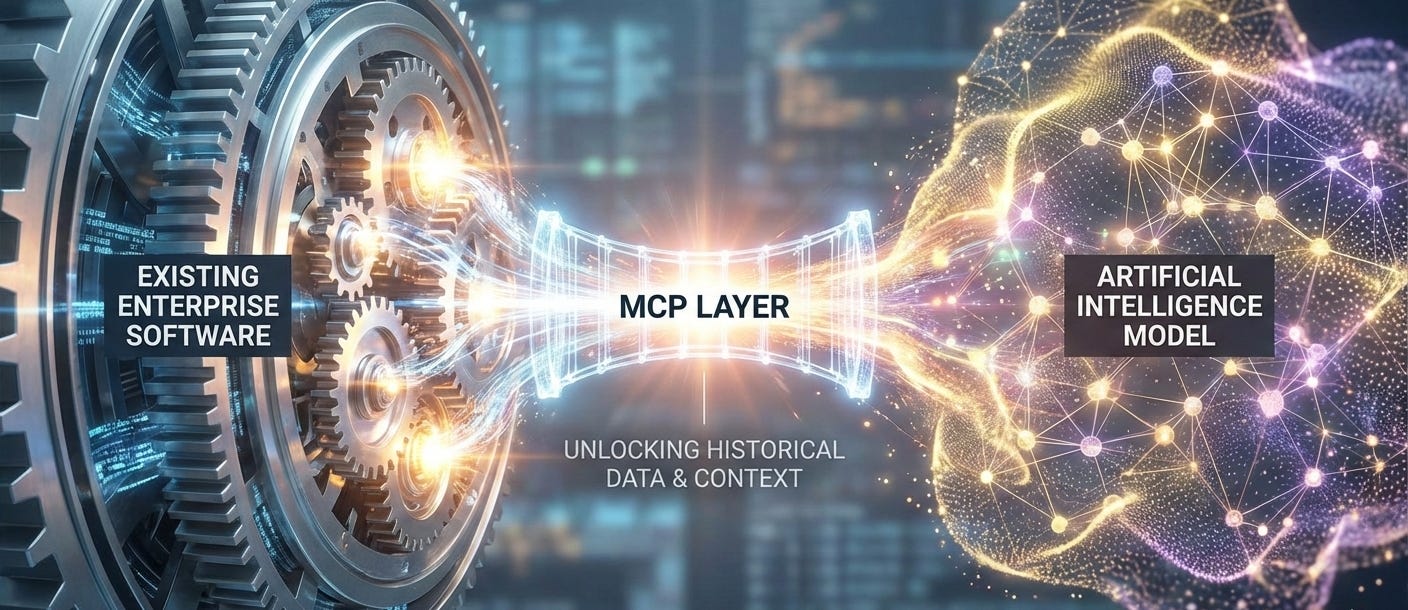
That’s when I realised: every piece of enterprise software I’ve built in the last 23 years is sitting on a goldmine of data that AI can unlock. The missing piece was never the AI model. It was the middleware layer that connects the model to the software. That layer is MCP.
What MCP Actually Is (Without the Hype)
MCP — the Model Context Protocol — is a standardised way to connect large language models to your existing software. Think of it as an API specifically designed for AI consumption.
Your traditional REST API is built for humans and frontend applications. It returns data in formats designed for rendering on screens. An MCP server is different — it exposes your software’s data and capabilities in a way that LLMs can understand, reason about, and act on.
Here’s a concrete example. Say you have a project management tool. A REST API might have endpoints like `GET /projects` and `POST /tasks`. An MCP server for the same tool would expose tools like “search projects by criteria,” “analyse task completion patterns,” and “suggest optimal task assignments based on team workload history.” The MCP layer adds semantic meaning that the LLM can reason with.
The three pillars of a well-built MCP integration are:
Enhanced AI Capabilities — The LLM can do more because it has access to real data and real actions, not just its training knowledge.
Secure Data Access — Every request is authenticated, authorised, and logged. The AI sees only what it’s permitted to see.
Scalable Integration — One MCP server can serve multiple AI assistants, models, and interfaces without rebuilding.
Why Every Enterprise Product Needs an MCP Layer — Now
Here’s the strategic reality: your competitors are adding AI features to their products. If your software can’t talk to AI, it’s going to feel increasingly dated — not because it’s bad software, but because users now expect intelligent assistance everywhere.
The good news? You don’t need to rebuild. You need a layer.
We’ve been doing this across multiple client engagements, and the pattern is consistent. Take the existing product. Build an MCP server that exposes its data and capabilities. Connect it to an LLM. The product instantly becomes “AI-powered” — and not in the gimmicky, chatbot-in-a-sidebar way. In a genuinely useful, data-driven way.
Let me walk you through three real use cases from our recent work.
Use Case 1: AI-Predicted Workflow Nodes
We were working with a client who had a sophisticated flow builder — the kind where business analysts drag and drop nodes to create automated workflows. Hundreds of workflows had been built over years, each representing hard-won business logic.
We built an MCP server that gave the AI access to the flow builder’s historical data — every workflow ever created, their node sequences, their conditions, their outcomes. Then we connected it to Claude.
The result was remarkable. A user could describe what they wanted in plain English — “I need a workflow that processes incoming support tickets, categorises them by urgency, routes high-priority ones to senior staff, and sends an acknowledgement email” — and the AI would generate the entire workflow. Not a generic template. A workflow that reflected the patterns and conventions specific to that organisation.
The AI wasn’t guessing. It was analysing hundreds of similar workflows that had already been built and validated by the team. It knew which node types the organisation used, which integrations were available, which approval chains were standard. All of that context came through the MCP layer.
Use Case 2: Intelligent Template Generation
Another client had a template system — email templates, document templates, report templates. Traditional approach: a library of static templates that users pick from and customise.
With MCP, we transformed this into something far more powerful. The AI could access the full template history — which templates performed well, which were modified most frequently, what context they were used in. When a user needed a new template, instead of browsing a library, they described what they needed.
The AI would then generate a template that wasn’t just linguistically correct — it was strategically optimal. It pulled in formatting conventions from the organisation’s most successful templates, used language patterns that had historically driven higher engagement, and even suggested timing based on analytics data.
This is the difference between AI as a novelty and AI as a genuine competitive advantage. The intelligence comes from your data, accessed through MCP, not from the model’s generic training.
Use Case 3: Data-Driven Timing and Strategy
The third pattern we keep seeing is analytics-driven recommendation. One client had years of campaign performance data — what worked, what didn’t, seasonal patterns, audience segmentation results.
Through an MCP server, we gave the AI access to this historical dataset. Now, when a marketing manager plans a new campaign, the AI doesn’t just help write copy. It analyses the last three years of campaign data and recommends: the optimal send time for this audience segment, the channel mix that historically performs best for this product category, and the messaging approach that resonated in similar campaigns.
The marketing team went from making gut-feel decisions to data-informed decisions — without needing to learn data science tools or hire analysts. The AI does the analysis. MCP provides the data. The human makes the final call.
The AI Agent Architecture
MCP servers are one half of the equation. The other half is AI agents — autonomous systems that can orchestrate multi-step workflows using those MCP-connected tools.
At AMT, we work with three primary agent frameworks, each suited to different use cases:
LangChain — Our go-to for most agent implementations. Excellent for building chains of reasoning where the agent needs to access multiple tools in sequence. We use it when the workflow is relatively linear: gather data → analyse → recommend → act.
AutoGen — Microsoft’s framework for multi-agent conversations. We use this when the problem requires multiple specialised agents collaborating. For example, one agent analyses financial data, another reviews compliance requirements, and they negotiate to produce a recommendation that satisfies both constraints.
CrewAI — The newest addition to our toolkit. CrewAI excels at defining agent “roles” with specific expertise and having them collaborate on complex tasks. We’ve used it for scenarios like technical due diligence, where you need a security expert agent, a scalability expert agent, and a cost optimisation agent working together.
The choice of framework depends on the complexity of the orchestration you need. Simple tool use? LangChain. Multi-perspective analysis? AutoGen or CrewAI.
The Tech Stack Behind It All
For teams evaluating their own MCP and agent implementations, here’s the stack we’ve converged on after extensive production experience:
MCP Protocol — The core protocol for exposing software capabilities to LLMs. We build custom MCP servers in TypeScript and Python, depending on the client’s existing stack.
LLM APIs — Primarily OpenAI GPT-4 and Anthropic Claude for reasoning and generation. We choose based on the specific task — Claude for nuanced analysis, GPT-4 for broad capability.
Vector Databases — Pinecone and pgvector for RAG implementations that give agents access to large document collections.
Agent Frameworks — LangChain, AutoGen, CrewAI as discussed above.
Orchestration — Custom middleware for managing agent state, tool access permissions, and conversation context across sessions.
Monitoring — Custom logging and analytics for tracking agent decisions, tool usage patterns, and outcome quality.
Getting Started
If you’re sitting on enterprise software that could benefit from AI integration — and let’s be honest, that’s virtually every enterprise product — here’s how to think about it:
Identify your highest-value data — Where does your software accumulate knowledge that could inform better decisions? That’s your first MCP endpoint.
Start with one use case — Don’t try to AI-enable everything at once. Pick the workflow where AI assistance would have the most immediate impact.
Build the MCP layer properly — Authentication, authorisation, rate limiting, audit logging. This isn’t a prototype — it’s production middleware.
Choose the right agent architecture — Simple tool use, multi-step reasoning, or multi-agent collaboration? The right framework depends on the complexity.
Measure outcomes — Track what the AI actually improves. Time saved, decision quality, user satisfaction. Let the data guide your expansion.
We’re helping clients across industries make this transition right now. If you want to explore what MCP could do for your product, reach out. Your first conversation will be with an engineer who’s built these systems — not a salesperson reading from a deck.